
Some of the most commonly used software in the world costs money — sometimes a lot of it. Adobe Photoshop, Microsoft Office, cloud storage subscriptions, project management tools, video editors. The assumption that you need to pay for these things is understandable, but in 2026 it’s mostly wrong.
There are free alternatives for almost every paid tool that most people use, and many of them are genuinely as good — or in some cases better — for everyday use. This guide covers the best free replacements, category by category.
Instead of Microsoft Office → Google Docs, Sheets, and Slides
Microsoft 365 costs money. Google’s equivalent suite — Docs, Sheets, and Slides — is completely free, runs in any browser without installation, and handles everything most people actually need from office software.
Google Docs replaces Word for writing, reports, and documents. It saves automatically, supports real-time collaboration, and exports to Word format when you need to share with someone who uses Office.
Google Sheets replaces Excel for spreadsheets, budgets, and data tracking. It covers the functions most users rely on, including charts, conditional formatting, and basic formulas.
Google Slides replaces PowerPoint for presentations. Templates are included, and the output is compatible with PowerPoint if needed.
All three are accessed through Google Drive. If you’re not already using them, our guide on How to Use Google Drive Step by Step covers the full setup.
What you miss: Advanced Excel functions, complex Word formatting for professional publishing, and offline performance. For most personal and small business use, Google’s tools cover everything.
Instead of Adobe Photoshop → Photopea or GIMP
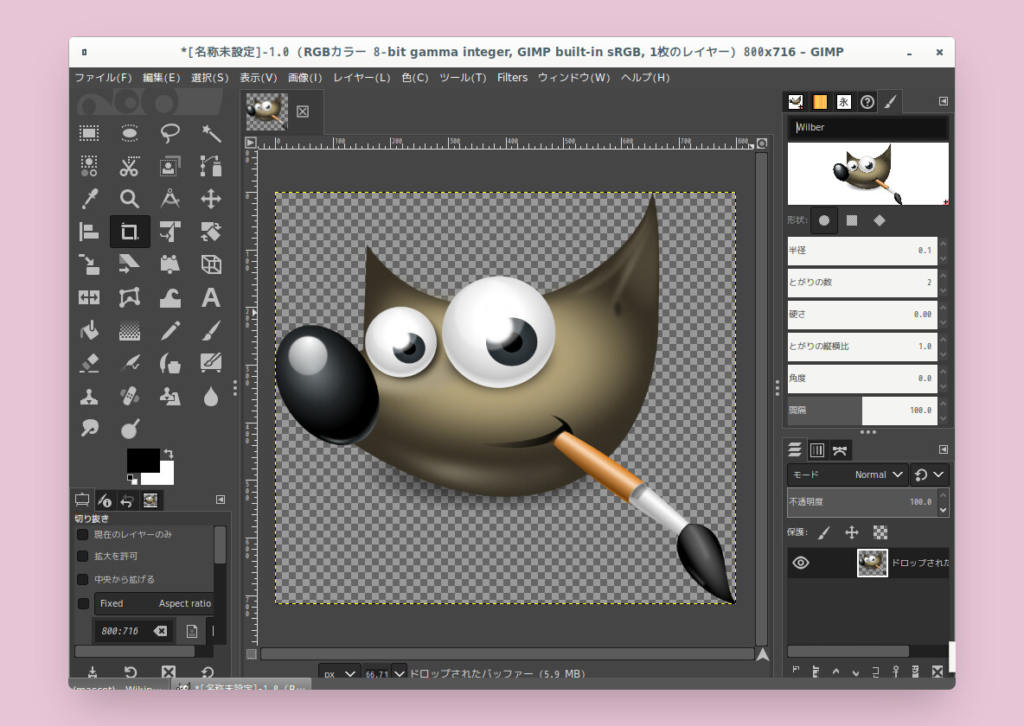
Photopea runs entirely in a browser — no download required — and its interface is deliberately similar to Photoshop. It opens PSD files, supports layers, masks, and most tools that Photoshop users rely on daily. For photo editing, graphic design, and image manipulation, it’s genuinely impressive for a free, browser-based tool.
GIMP is a desktop application for Windows, Mac, and Linux with a longer track record than Photopea. It’s more powerful for complex editing tasks but has a steeper learning curve. Both are completely free.
What you miss: Photoshop’s more advanced AI-powered tools, seamless integration with other Adobe products, and some specialized filters. For most photo editing and graphic design tasks, either alternative covers the job.
Instead of Adobe Premiere or Final Cut Pro → DaVinci Resolve
DaVinci Resolve is a professional-grade video editing application available completely free. It’s used by professional filmmakers and video editors, and its free version has no meaningful limitations for most projects — no watermarks, no export restrictions, no time limits.
It handles everything from basic cuts to color grading to audio mixing. The learning curve is steeper than consumer-grade editors, but the results are professional quality.
What you miss: Some advanced collaboration features in the Studio (paid) version, and the tight ecosystem integration of Final Cut Pro on Mac. For individual creators and small teams, the free version is more than sufficient.
Instead of Dropbox (Paid) → Google Drive
Dropbox’s free plan offers only 2GB of storage — effectively unusable for most people’s actual needs. Google Drive gives you 15GB free with the same core functionality: sync across devices, share files and folders, and access everything from any browser or app.
For a direct comparison of the two services, see our article on Google Drive vs Dropbox: Which Should You Choose?.
Instead of LastPass (Paid) → Bitwarden
LastPass moved most of its useful features behind a paywall. Bitwarden is a free, open-source password manager that stores unlimited passwords across unlimited devices — the things LastPass now charges for.
Bitwarden’s security has been independently audited, its code is publicly reviewable, and the free plan has no meaningful limitations for personal use. It’s the most straightforward replacement available and one of the best free security tools of any kind.
Instead of Grammarly (Premium) → LanguageTool
Grammarly’s free plan catches basic errors but locks most useful suggestions behind a subscription. LanguageTool is a free alternative that checks grammar, style, and spelling across more than 30 languages. It’s available as a browser extension, desktop app, and web tool.
For most writing tasks — emails, documents, essays — LanguageTool’s free plan covers the corrections that matter. It also has a premium tier, but the free version is significantly more useful than Grammarly’s equivalent.
Instead of Notion (Paid Teams Features) → Notion Free
Worth mentioning: Notion’s free plan is unlimited for personal use. The paid plans add team features like admin controls and audit logs, but for individual use — notes, task management, project tracking, personal databases — the free plan has no meaningful limitations.
If you’re paying for Notion as an individual, you likely don’t need to be. The free plan is covered in our guide on Best Note-Taking Apps in 2026.
Instead of Canva Pro → Canva Free
Canva’s free plan is genuinely comprehensive for most design needs — social media graphics, presentations, posters, and marketing materials. The Pro plan adds a larger template library and some AI tools, but the free version covers everyday design tasks without restriction.
If you need more than Canva’s free plan, Adobe Express (also free) is a strong alternative with a different template library and tight integration with Adobe’s ecosystem.
Instead of Zoom (Paid) → Google Meet
For video calls with more than two people or longer than 40 minutes, Zoom’s free plan has limitations. Google Meet offers free video calls with no time limit and up to 100 participants — accessible from any browser without downloading anything, using your existing Google account.
For most personal and small team video calling needs, Google Meet’s free plan is indistinguishable from Zoom’s paid features in practical use.
Instead of Expensive Antivirus → Built-In Security Tools
Many paid antivirus subscriptions are unnecessary for most users. Windows Defender (built into Windows 10 and 11) provides solid protection that independent tests consistently rate as comparable to paid alternatives. On Android, Google Play Protect performs the same function.
Paying for a third-party antivirus suite on top of these built-in tools rarely adds meaningful protection and sometimes causes performance issues. The better investment is in good security habits — covered in our guide on How to Avoid Viruses and Malware on Your Device.
Frequently Asked Questions
Are free alternatives as good as paid tools? For most everyday tasks, yes. The gap between free and paid tools has narrowed significantly in recent years. Where paid tools genuinely pull ahead is in advanced professional features, seamless ecosystem integration, and specialized workflows that most users never need.
Is it safe to use free alternatives to paid security software? The free tools mentioned here — Bitwarden, Windows Defender, Google Play Protect — are reputable, well-maintained, and in some cases more trustworthy than lesser-known paid alternatives. The key is sticking to established tools with transparent security practices.
What’s the catch with free tools? Usually one of three things: ads (which you can often avoid by using the desktop version), data collection (check the privacy policy of any free tool you use seriously), or limitations on advanced features. For most users, none of these are dealbreakers.
Can I import my files from paid tools into free alternatives? In most cases, yes. Google Docs opens Word files, Photopea opens PSD files, and DaVinci Resolve imports most video formats. Some formatting may not transfer perfectly, but working files are generally compatible.
What should I do if I need a feature that’s only in the paid version? Consider whether you need it regularly or occasionally. For occasional needs, many paid tools offer pay-per-use or short-term subscriptions. For regular needs, it may be worth the cost. But start with the free version — you may find it covers more than you expected.
Final Thoughts
The assumption that quality software has to cost money is increasingly outdated. For the most common categories of tools — office software, image editing, video editing, cloud storage, password management — there are free alternatives that cover everything most people actually need.
The tools in this guide are a starting point. Try the free version before assuming you need to pay, and you’ll often find that you don’t.
For a broader look at free apps worth having on your phone specifically, see our guide on Essential Apps You Should Have on Your Phone.